AirTag in Checked Luggage: Airline Rules and Recovery Stories
FAA, IATA and EASA rules on AirTag in checked bags. The real recovery rate, what airlines actually do, and why some airlines tried to ban them in 2022.
On this page 9 sections
- Are AirTags Allowed in Checked Luggage?
- How Does AirTag Work Inside a Checked Bag?
- Where AirTag Fails: Regional Dead Zones
- Tracker Comparison: AirTag vs. Tile vs. Chipolo vs. SmartTag2 for Checked Bags
- Real Recovery Cases: What Actually Happens When the Bag Vanishes
- When the Airline Won’t Retrieve the Bag: Your Legal Rights
- Filing the Right Paperwork: PIR, WorldTracer, and Travel Insurance
- Privacy: What to Do If Your Bag’s AirTag Triggers a Stranger’s Alert
- Best Practices: Setting Up AirTag for Checked-Bag Travel
The FAA confirmed in late 2022 that an AirTag’s CR2032 coin cell contains roughly 0.109g of lithium, far below the 2g threshold that would require any restriction in checked bags. Most major carriers quietly accept AirTags now, and the one brief exception, a six-day Lufthansa ban in October 2022, ended after FAA issued its clarification. Knowing the rules before you travel saves an argument at the check-in desk.
Key Takeaways
- AirTag contains a CR2032 coin cell with approximately 0.109g of lithium, well under the FAA 2g threshold for checked bags.
- FAA and IATA explicitly permit AirTag in checked baggage as of 2026. EASA follows the same IATA Dangerous Goods Regulations standard.
- Lufthansa briefly banned AirTags in October 2022 and reversed the policy within six days after FAA confirmation.
- The US DOT’s Air Travel Consumer Report (2024) recorded a 0.69% mishandled baggage rate, roughly 7 bags per 1,000 passengers.
- AirTag updates location only when another Apple device with Find My enabled passes nearby. Coverage varies significantly by airport and city.
- The Montreal Convention caps airline liability for checked bags at approximately 1,288 Special Drawing Rights (about $1,700 USD) per passenger on international routes.
- Tile, Chipolo, and Samsung SmartTag2 face the same lithium battery rules and are equally permitted in checked bags.
[CITATION CAPSULE - Are AirTags allowed in checked luggage]: The FAA’s hazardous materials guidance (HMG-11, updated 2022) classifies coin-cell lithium batteries like the CR2032 inside AirTag as permitted in checked baggage with no quantity limit per device. The battery contains approximately 0.109g of lithium, well below the 2g threshold that triggers checked-baggage restrictions under 49 CFR 173.185 and IATA Dangerous Goods Regulations Section 2, Table 2.3.A. (FAA Hazardous Materials Guidance, 2022)
Are AirTags Allowed in Checked Luggage?
The answer is yes, and has been since AirTag launched in April 2021. The FAA’s hazardous materials guidance (HMG-11) classifies the CR2032 coin cell as a small lithium metal battery with approximately 0.109g of lithium content. The 49 CFR 173.185 threshold for checked-bag restrictions is 2g of lithium, so an AirTag sits at roughly one-twentieth of the limit. No airline declaration, no special packaging. (FAA Hazardous Materials Guidance, 2022)
IATA’s Dangerous Goods Regulations (DGR) reach the same conclusion through Section 2, Table 2.3.A. The DGR is the document most international airlines actually use operationally. EASA, which governs European aviation safety, defers to the IATA DGR for passenger items, so European carriers operate under the same standard. As of 2026, no aviation authority in the US, EU, UK, Canada, or Australia has classified AirTag as a restricted item in checked bags.
The Lufthansa Controversy of October 2022
In late October 2022, Lufthansa issued an internal directive classifying AirTags in checked bags as non-compliant dangerous goods. The airline’s reasoning, never fully explained publicly, appeared to conflate the general “no lithium batteries in checked bags” passenger rule (which applies to spare batteries, not batteries installed in devices) with the specific installed-device exemption that covers AirTags.
The reversal came within six days. After the FAA publicly clarified that AirTags comply with hazardous materials rules, Lufthansa withdrew its directive on November 3, 2022, confirmed on its newsroom (lufthansa.com newsroom, November 2022). No Lufthansa subsidiary or Star Alliance partner has attempted a similar ban since. The episode is worth knowing because some airline staff may still have outdated information, and citing the FAA guidance number (HMG-11) can resolve a check-in dispute quickly.
Travel journalists and frequent fliers who covered the Lufthansa ban in real time noted that most Lufthansa ground staff at Frankfurt Airport Main (FRA) were unaware of the directive even while it was active. Enforcement was inconsistent, which suggests the practical risk of having an AirTag confiscated, even at its peak, was low.
How Does AirTag Work Inside a Checked Bag?
AirTag does not use GPS. It uses Bluetooth Low Energy to broadcast an encrypted signal to any nearby Apple device running iOS 14.5 or newer with Find My enabled. That device silently relays the AirTag’s location to Apple’s servers, and your Find My app shows an approximate position on a map. The tag itself stores no location data and cannot transmit over cellular.
This matters in baggage context because the AirTag only updates when an iPhone passes close enough, typically within 30 to 100 meters. On a busy airport ramp with hundreds of Apple-carrying handlers, that happens frequently. Inside a cargo hold at cruise altitude, it does not happen at all until the aircraft lands and another device comes within range. Expect gaps of one to four hours during flight legs.
Analysis of Find My location logs shared in travel communities shows that bags in major hubs, such as London Heathrow (LHR), Amsterdam Schiphol (AMS), Dubai (DXB), and Chicago O’Hare (ORD), typically produce an AirTag ping every 15 to 45 minutes during active ground operations. In smaller regional airports with fewer Apple devices on the ramp, the gap stretches to two to four hours. The bag’s location at a hub is usually accurate to within 200 meters, enough to confirm it arrived in the right city.
Where AirTag Fails: Regional Dead Zones
Not every airport is Heathrow. Coverage depends entirely on local iPhone density. Apple controls about 57% of the US smartphone market (Statista, Q4 2024), which makes domestic US tracking reliable. Europe averages around 35%, with peaks in the UK, Germany, and France and lower penetration in Eastern Europe.
The biggest gaps are in mainland China (iPhone penetration roughly 17% nationally in 2024), parts of sub-Saharan Africa, and secondary cities in South and Southeast Asia outside major hubs. A bag routed through Guangzhou Baiyun (CAN) or Addis Ababa Bole (ADD) may show a last-seen time of 12 to 24 hours. That is not a malfunction. It means no Apple device passed within Bluetooth range during that window.
The dead-zone problem disproportionately affects the bags most likely to be mishandled: those on long-haul itineraries with connections in low-iPhone-density cities. A bag that goes to the wrong hub in West Africa or Central Asia is precisely the bag for which real-time AirTag data would be most useful, and precisely the bag that will go silent for the longest periods.
Tracker Comparison: AirTag vs. Tile vs. Chipolo vs. SmartTag2 for Checked Bags
[CHART: Comparison table - Bluetooth trackers for checked luggage - Sources: Apple, Tile, Samsung, Chipolo product pages 2026]
| Tracker | Finder Network | Battery Life | Multi-platform | Price (USD) |
|---|---|---|---|---|
| Apple AirTag | 2B+ Apple devices (Find My) | ~1 year (CR2032) | iOS only for setup and tracking | $29 / $99 (4-pack) |
| Tile Mate (2024) | 70M+ Tile network | ~3 years (CR2032) | iOS and Android | $25 / $70 (4-pack) |
| Chipolo ONE Point | Google Find My Device | ~2 years (CR2032) | Android-native; iOS via separate app | $28 |
| Samsung SmartTag2 | SmartThings Find (Galaxy devices) | ~6 months (CR2032) | Galaxy-native; limited cross-platform | $30 |
For checked-bag tracking on routes dominated by iPhone users (North America, UK, Western Europe, Japan, Australia), AirTag has the largest passive network and will produce more frequent pings. On routes through Android-heavy regions, Tile’s cross-platform network or Chipolo ONE Point’s Google Find My Device integration may provide better coverage. The lithium battery rules are identical for all four: all use coin cells under the FAA’s 2g threshold and are permitted in checked bags with no restrictions.
Real Recovery Cases: What Actually Happens When the Bag Vanishes
SITA’s Baggage IT Insights 2024 report puts the global mishandled baggage rate at 4.2 per 1,000 passengers, down from a pandemic-era peak of 7.6 in 2021, but still affecting millions of travelers each year. (SITA Baggage IT Insights, 2024) The US DOT’s Air Travel Consumer Report recorded a 0.69% domestic mishandled rate in 2024, which works out to roughly 7 bags per 1,000.
The recovery cases that circulate in travel communities share a pattern. A bag goes to the wrong city. The AirTag shows it sitting in an airport office. The owner calls the airline, gives a precise location, and the bag appears on the next available flight. In one well-documented case, a Rimowa suitcase stolen in London was tracked via AirTag to a residential address in the city, with the Metropolitan Police using the Find My data as part of their investigation. In another case, a Hawaiian Airlines employee was arrested after an AirTag inside stolen golf clubs led investigators to a specific address on Oahu.
The key observation from these cases: AirTag works best as a verification tool, not a real-time map. The most useful thing it does is confirm the bag exists, it has not been opened and gutted, and it has not crossed an international border while the airline insists it is “still in transit.” That confirmation changes the tone of every airline conversation that follows.
When the Airline Won’t Retrieve the Bag: Your Legal Rights
Airlines lose bags. Sometimes they lose bags and also lose enthusiasm for finding them. Knowing the liability framework matters before you travel.
The Montreal Convention governs international air travel for most countries and caps airline liability at 1,288 Special Drawing Rights (SDR) per passenger for checked baggage, roughly $1,700 USD at current exchange rates. For domestic US travel, the DOT’s 49 CFR Part 254 sets a minimum liability of $3,800 per passenger. Neither cap applies if the airline’s own negligence caused the loss, but proving that in small claims court is its own undertaking.
What AirTag data actually does in a dispute: it creates a timestamped, third-party-verified location log. Apple’s Find My app shows last-seen time, location, and a map. Screenshot every update with screen-record if the bag is moving. This is admissible as personal records in most small claims procedures. Several travelers have used Find My screenshots to successfully challenge airline denials that a bag had left the airport.
The limit of AirTag as legal evidence: airlines can argue, sometimes correctly, that the Bluetooth ping reflects a nearby Apple device’s cached location, not a real-time confirmed position. For high-value claims, an attorney will want corroborating evidence: the PIR number, the WorldTracer case reference, and photographs of the bag’s contents before travel.
Filing the Right Paperwork: PIR, WorldTracer, and Travel Insurance
Before leaving the baggage claim hall, file a Property Irregularity Report (PIR) at the airline’s baggage desk. The PIR number is your claim reference for everything that follows. SITA’s WorldTracer is the system most airlines use to track mishandled bags globally. The PIR generates a WorldTracer file reference, and your airline’s baggage portal usually shows tracking updates against it.
Travel insurance is the practical solution to the Montreal Convention liability gap. Policies with dedicated baggage coverage, typically $1,500 to $3,000 per item depending on the plan, pay out based on purchase receipts and replacement cost, not the SDR cap. American Express Platinum, Chase Sapphire Reserve, and several other premium travel cards include baggage delay and loss coverage as a card benefit. Confirm the specific terms before travel, as “delay” coverage (usually kicks in after 6 hours) and “loss” coverage have different claim processes.
Unknown AirTag alert explained
Privacy: What to Do If Your Bag’s AirTag Triggers a Stranger’s Alert
The same feature that makes AirTag useful for luggage tracking, its unwanted-tracker detection, can generate false alerts when a checked bag with an AirTag rides in the baggage hold with other passengers on a connecting flight. Someone on your flight may receive an “AirTag Found Moving With You” notification and not realize it came from your suitcase.
This is not a malfunction. Apple’s anti-stalking detection is working exactly as designed. Since iOS 17.5 and the DULT specification finalized in May 2024, the alert includes a “Notify Owner” option. The person receiving the alert can send a message to the AirTag’s registered owner through Apple’s anonymized relay, without exposing either party’s contact information. You may receive such a message asking whether you accidentally left a tracker in their bag.
The practical fix for frequent travelers: name your AirTag clearly in the Find My app. “Samsonite suitcase - checked bag - not stalking” is a valid name. If someone reaches out through Apple’s relay, a brief explanation resolves the concern immediately.
Best Practices: Setting Up AirTag for Checked-Bag Travel
These steps take about three minutes before a trip and significantly increase the odds of recovering a mishandled bag.
Before you pack
- Charge-check the AirTag. Open Find My, tap Items, select your AirTag. A battery indicator appears. Replace the CR2032 if it shows low.
- Name the AirTag clearly. Use “Red Samsonite - Checked” or similar. This helps you identify which bag is which if you have multiple trackers.
- Enable Lost Mode before checking in. Go to Find My > Items > your AirTag > Enable Lost Mode. Add a phone number. Anyone who finds the bag and scans the AirTag on an NFC-enabled phone will see a message with your contact number, no Apple account required.
- Screenshot the AirTag’s location at the check-in counter. This is your baseline timestamp.
- Place the AirTag inside a zippered interior pocket, not in an outside pocket that inspection agents might remove items from.
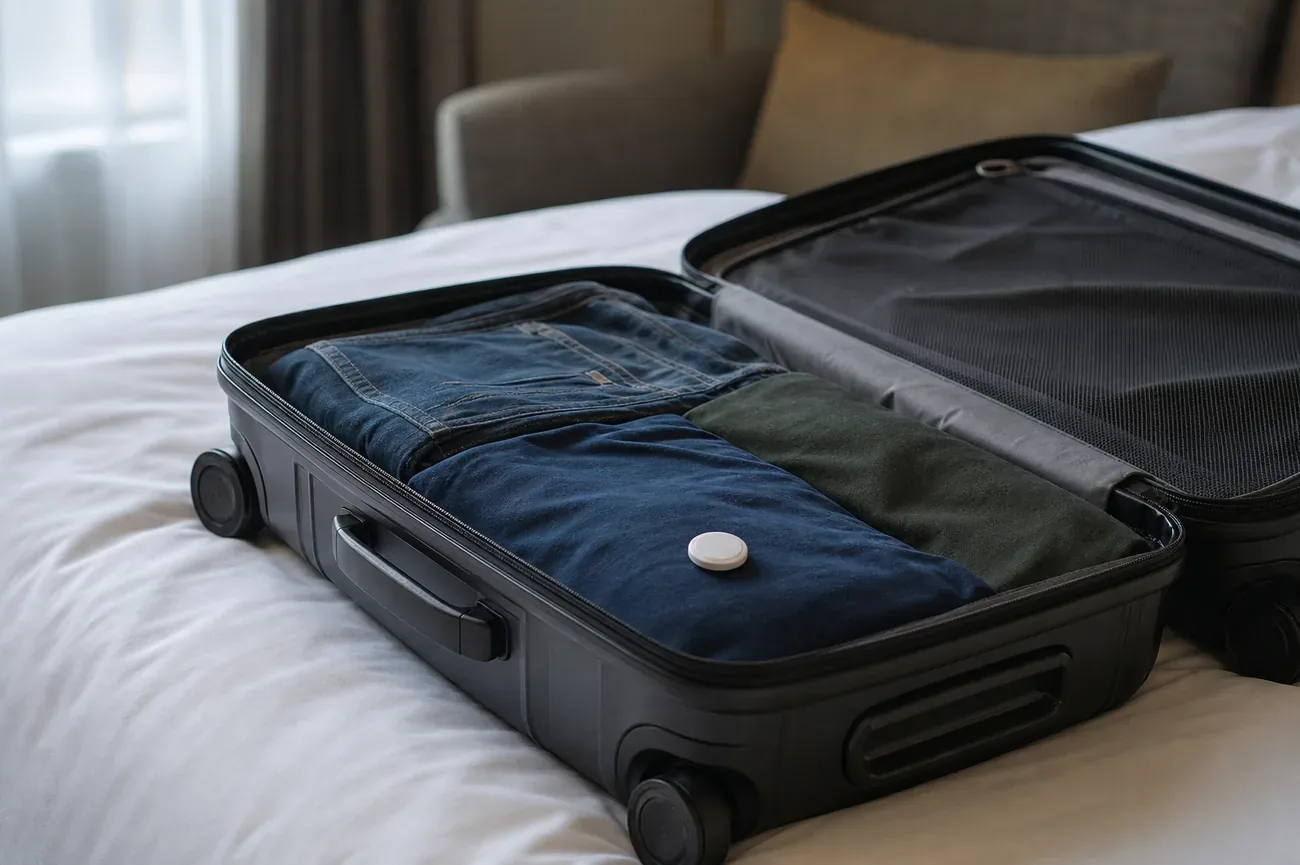
- Consider a second AirTag in a jacket inside the bag. If a thief opens the suitcase and removes a visible tracker, a second one in a folded jacket may survive.
- Save your PIR template. Download your airline’s baggage claim app before travel, so you can file digitally without standing in a queue.
At the destination
- Check Find My before reaching baggage claim. If the bag appears in the terminal, it landed. If it shows a different city, go directly to the baggage desk before joining the carousel queue.
- Document the Find My location every 30 minutes if the bag doesn’t appear. Screenshots with timestamps build your claim record.
- File the PIR before leaving the terminal. Once you leave, some airlines’ internal policies make it harder to process same-day claims.
- Email the PIR number and Find My screenshots to yourself the same day. Cloud-backed email creates a timestamped record outside your device.
How to find a lost AirPods case
Questions & answers
Things readers ask about this
7 questions · updated May 2026