Found a Tracker on You? The Right Next 30 Minutes
An AirTag in your bag or GPS under your car. The first 30 minutes decide whether you preserve evidence, alert the stalker, or both. The exact sequence.
On this page 12 sections
- The 30-minute decision: disable now, or document first?
- How to read the tracker with your phone
- Why removing the battery alerts the stalker (and when that is acceptable)
- Evidence preservation: what to capture before you move anything
- Reporting to police: what to bring and which statute applies
- When to involve advocacy services
- Restraining orders and protective orders: realistic timeline
- Long-term safety steps after the first 30 minutes
- What if the tracker belongs to a family member or roommate?
- Decision table: tracker type and what to do
- What to do in the next 30 minutes: the numbered sequence
- FAQ
If you believe you are being stalked or surveilled, your safety is the priority. Contact the National Domestic Violence Hotline at 1-800-799-7233 or the Coalition Against Stalkerware at stopstalkerware.org. If you are in immediate danger, call 911. The advice below assumes you have already taken these steps or judged them not immediately necessary.
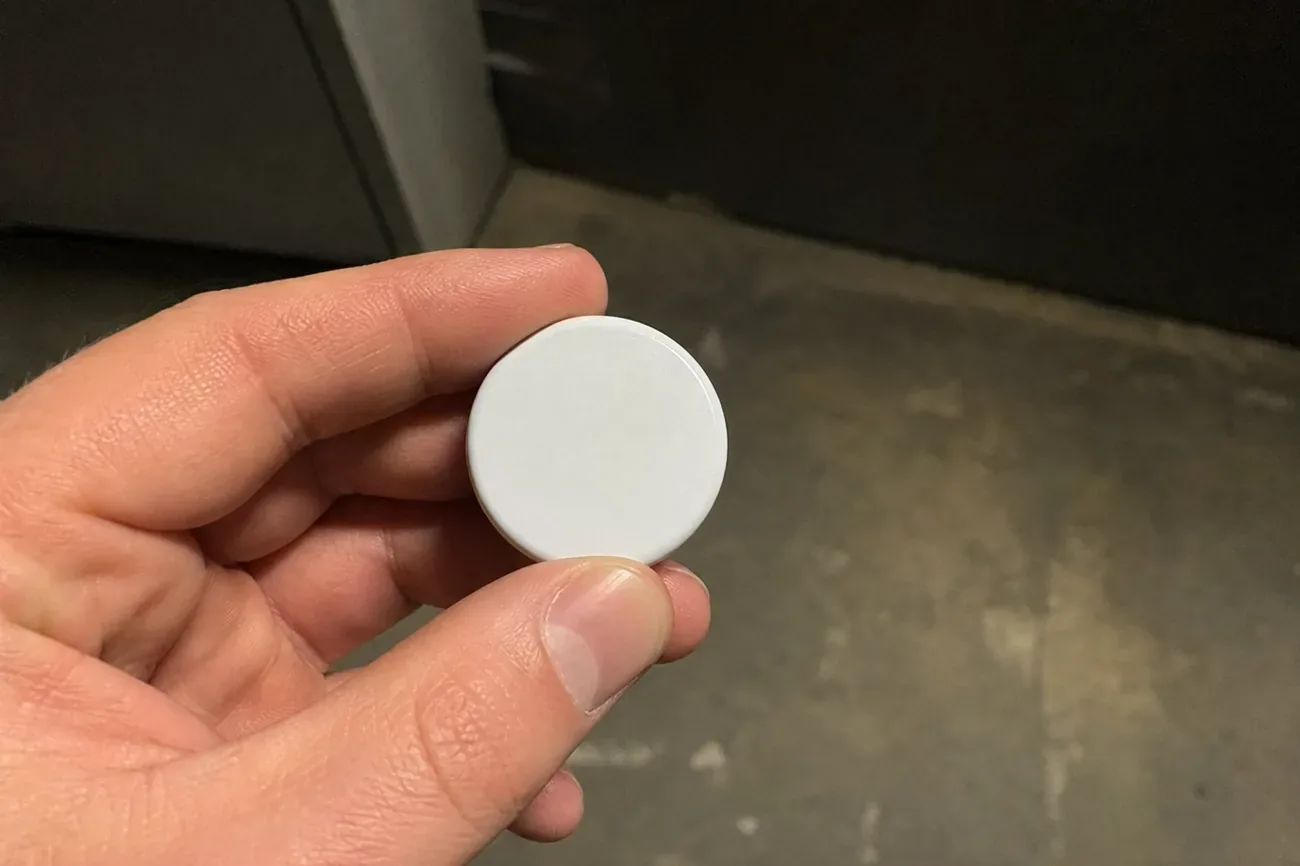
You found something. A small white disc in the lining of your bag. A magnetic box clipped to the frame under your rear wheel well. A flat GPS device tucked behind a license plate bracket. What you do in the next 30 minutes either preserves the evidence that can protect you or destroys it. This guide gives you the exact sequence, in the right order, for the situation you are actually in.
Key Takeaways
- Do not remove or disable the tracker immediately. Photograph it in place first.
- Tap it with your phone before touching it. An AirTag or Samsung SmartTag will display a serial number you will need for police.
- Removing the battery does not instantly alert the stalker, but going offline is visible on their map.
- Federal statute 18 U.S.C. § 2261A covers electronic stalking across state lines. Most states have parallel statutes covering single-state cases.
- A domestic violence advocate, not just police, should be part of your first calls. They know how to sequence these steps to minimize your risk.
- An emergency protective order typically takes 24 to 48 hours in most US states.
What an unknown AirTag alert means before you found the device physically
The 30-minute decision: disable now, or document first?
The single most common mistake people make is pulling the tracker off and throwing it away immediately. That impulse is understandable, but it destroys most of your legal options. The general rule from the NNEDV Safety Net Project and Coalition Against Stalkerware guidance is: document before you disable, and disable before you confront.
The only exception is immediate physical danger. If you believe the person who placed the tracker is actively hunting your location to harm you right now, prioritize your physical safety over evidence. Get somewhere safe, then document from there.
If you are not in immediate physical danger, the sequence is: photograph, identify, document, then disable. That order takes about 15 minutes and keeps every legal avenue open.
How to read the tracker with your phone
Before touching the device, get your phone out. Bring it within 2 to 3 centimeters of the tracker.
For an Apple AirTag: any iPhone running iOS 14.5 or newer will automatically prompt an NFC tap. Follow the prompt and you will see the serial number plus a Lost Mode contact if the owner set one. On Android 6 or newer, visit apple.com/airtag/security on your browser and tap the AirTag; the page shows the serial number. Save a screenshot immediately.
For a Samsung SmartTag: Android phones with Samsung’s SmartThings app will detect it. iPhone users can use the built-in NFC reader by holding the phone near the device and tapping the notification. The SmartTag serial number appears.
For a Tile tracker: Tile does not broadcast NFC. Open Apple’s free Tracker Detect app on iPhone, or Google’s built-in Unknown Tracker Alerts on Android 6 plus. The app will show the Tile’s identifier.
For a generic 4G GPS tracker: these carry a SIM card. Look for a manufacturer label on the casing, which typically shows an IMEI and model number. Photograph that label. The SIM carrier and registered account can be traced by law enforcement with that IMEI.
The serial number is the key. Law enforcement can subpoena Apple, Samsung, or Tile for the registered owner’s account using only the serial number. Without it, the paper trail goes cold.
Why removing the battery alerts the stalker (and when that is acceptable)
When a tracker loses power, it disappears from the owner’s map. The owner sees the last known location before the signal dropped. Most apps do not send a push notification that says “battery removed.” The device simply goes offline, which looks identical to a dead battery or a metal-shielded environment.
That ambiguity is useful. The owner knows their tracker stopped reporting but does not know you found it. If you have documented the device and are in a safe location, removing the battery is a reasonable step.
However, advocates from NNEDV and local domestic violence shelters sometimes recommend a different tactic when your risk level is high: move the tracker to a public vehicle, like a bus, and let it report false location data while you move somewhere safe. The owner thinks you are still on the bus route. You have time. This is a judgment call that depends on your specific situation, and a hotline call at 1-800-799-7233 can help you decide.
How to find GPS trackers on a car before you need to remove one
Evidence preservation: what to capture before you move anything
Police and attorneys need a chain of custody. That means documenting not just the device but the context around it. The NNEDV Safety Net Project’s tech safety documentation framework specifies four categories of evidence.
First, photographs with timestamps on. Use your phone’s native camera. Make sure the timestamp feature is enabled, or use a Google Photos or iCloud Photos upload that records metadata. Photograph the tracker in its original position, from multiple angles, including the environment around it (the wheel well, the bag interior, the car underframe).
Second, the serial number screenshots. Every screen your NFC tap or app produces should be screenshotted and immediately backed up to cloud storage the other person does not have access to, a personal Gmail, Apple ID, or Dropbox account they cannot reach.
Third, witness information. If anyone was with you when you found it, write down their name, phone number, and exactly what they saw. A witness statement at the police station is stronger than your account alone.
Fourth, a written timeline. Start from when you first noticed anything unusual. Unexplained appearances at your location, vehicles you recognized in odd places, that uneasy feeling three weeks ago. Write the dates and details while they are fresh. This context matters when law enforcement assesses whether a pattern of stalking exists.
Reporting to police: what to bring and which statute applies
Bring everything you documented. Screenshots in print or on your phone, the tracker in a sealed ziplock bag if you removed it, a written timeline, and any witness contact info. Ask specifically to file a police report, not just a complaint. The report number is what you need to access victim services and apply for a protective order.
At the federal level, 18 U.S.C. § 2261A covers stalking that uses electronic surveillance across state lines or through any interstate commerce facility, which courts have interpreted to include cell networks and GPS devices. Federal cases are handled by the FBI; local police can refer.
For single-state situations, state law usually applies. California Penal Code § 637.7 directly prohibits placing electronic tracking devices on another’s vehicle without consent. Most other states have equivalent statutes under their stalking or harassment codes. WomensLaw.org maintains a searchable database by state. Your local DA’s office can tell you which charge applies.
One practical note: police response to tech-enabled stalking varies significantly by jurisdiction. Some departments have dedicated digital forensics units. Others are still learning. If the responding officer seems unfamiliar with tracker evidence, ask to speak with a detective or a domestic violence unit specifically. That does not always work, but it is the right ask.
When to involve advocacy services
When tracking from a partner goes beyond a physical device
Police are not your only resource and often not your first call. Domestic violence and stalking advocates have seen thousands of these situations and know which local police departments take tech evidence seriously, which DAs are willing to file, and how to sequence your steps to reduce retaliation risk.
The NNEDV Safety Net Project (nnedv.org/spnetwork) operates a specialist tech safety program focused on stalkerware, GPS trackers, and electronic surveillance in the context of intimate partner violence. They can connect you with a trained safety planner in your area.
The Coalition Against Stalkerware (stopstalkerware.org) focuses specifically on software-based surveillance but also has guidance on physical trackers and a referral network of attorneys familiar with tech abuse cases.
Local domestic violence shelters frequently have technology safety specialists on staff. Even if you are not in a shelter situation, you can call them. The services are confidential and free. They can accompany you to a police station, help you prepare your documentation, and connect you with an attorney for a free consultation.
Restraining orders and protective orders: realistic timeline
An emergency ex parte protective order does not require the other party to be present. You go to a courthouse, present your evidence, and a judge signs within 24 to 48 hours in most US states. Some jurisdictions, including California, process same-day emergency orders. Law enforcement can also issue an Emergency Protective Order (EPO) at the scene, which typically lasts 5 to 7 days and gives you time to file for a longer order.
After the emergency order, a hearing with both parties is scheduled, typically 14 to 21 days out. At that hearing, the judge decides whether to issue a longer-term restraining order, which can run one to five years depending on the state.
The tracker evidence is directly relevant here. GPS data showing the tracker’s position history alongside your location history is documentary proof of surveillance that judges take seriously. Do not destroy the device before that hearing.
When your phone itself has been compromised beyond a physical tracker
Long-term safety steps after the first 30 minutes
The tracker you found may not be the only one. Support forums and DV case records consistently show that trackers are placed in pairs: one visible, one as a backup. A mechanic who puts a vehicle on a lift can check common placement points, including the wheel wells, underframe cross-members, inside the bumper fascia, and under the rear seats if the car was accessible. Some auto shops will do this as a paid service; ask directly.
Change locks immediately if the person had access to your home or vehicle. Rekeying a house is about $50 to $100 per lock cylinder with a locksmith. Do not use a locksmith the person might have a relationship with.
Remove your personal information from data broker sites. Services like Whitepages, Spokeo, and Spokeo-aggregators publish home addresses, phone numbers, and vehicle registrations that stalkers use to find people who have moved. The process is tedious but doable: DeleteMe, Privacy Bee, or manual opt-out requests to each service.
Sweep your phone for software-based tracking in addition to the physical device. Signs your phone has tracking software on it
What if the tracker belongs to a family member or roommate?
The law does not carve out a blanket family exception. A parent placing a GPS tracker on an adult child’s car without consent violates most state statutes. A roommate doing the same is typically criminal harassment or illegal surveillance depending on jurisdiction. The difference from stranger stalking is mostly in how aggressively law enforcement and DAs pursue charges.
You have the same documentation options and the same legal avenues. The practical difference is that civil remedies, a cease-and-desist letter from an attorney, a civil harassment order rather than a criminal protective order, may be faster and less contentious. A free 30-minute consultation with a family law or civil litigation attorney can map the specific options.
Do not assume “it is just a family member” makes it legal. If someone is monitoring your movements without your knowledge or consent, document it the same way regardless of who they are.
Decision table: tracker type and what to do
| Tracker | How phone detects it | NFC serial scan | Battery removal | Owner traceable |
|---|---|---|---|---|
| Apple AirTag | iOS auto-alert (14.5+); Android Unknown Tracker Alert (Play Services) | Yes, iPhone or Android via apple.com/airtag/security | Twist CR2032 counterclockwise | Yes, via Apple subpoena |
| Samsung SmartTag / SmartTag2 | SmartThings or Android Unknown Tracker Alert | Yes, NFC tap | Slide battery door | Yes, via Samsung subpoena |
| Tile Mate / Pro / Slim | Apple Tracker Detect app; Android Unknown Tracker Alert | No NFC, identifier via app | Open casing with coin, remove button cell | Yes, via Tile subpoena |
| Chipolo ONE Spot | Apple Tracker Detect; Android Unknown Tracker Alert | No NFC | Open casing, remove battery | Yes, via Chipolo subpoena |
| Generic 4G GPS tracker | No auto-alert, manual physical search or RF detector | No NFC | Varies by device, locate power cable or battery compartment | Yes, via carrier IMEI subpoena |
Deeper comparison of AirTag vs Tile vs SmartTag tracking capabilities
What to do in the next 30 minutes: the numbered sequence
- Stop. Do not remove the tracker yet. If you are not in immediate physical danger, you have 15 minutes for documentation.
- Move somewhere private where you cannot be observed. A bathroom, your locked office, anywhere away from where the tracker was found.
- Call 1-800-799-7233 or text START to 88788 if you cannot speak freely. Describe the situation. Ask whether to document before disabling. This call takes 5 to 10 minutes and changes the rest of your decisions.
- Photograph the tracker in place. Multiple angles, close-up and wide shot. Do not touch it yet.
- Tap the tracker with your phone. Follow any prompts. Screenshot every screen.
- Screenshot the serial number or device ID. Back it up to a cloud account the other person cannot access.
- Open Notes on your phone and write the exact location where you found it, the date, the time, and any witnesses. This is your initial statement.
- Photograph your own location with a timestamped photo, to establish where you were when you found it.
- If anyone witnessed the find, get their name and number immediately.
- Decide on the battery. If you are safe and not in immediate danger, remove the battery now (see the device table above for how). Place the tracker in a ziplock bag. Do not throw it away.
- Back up all your screenshots and photos to a separate account, not just your camera roll.
- Call or visit your local police department. Bring every document. Ask to file a police report, and write down the report number.
- Contact NNEDV Safety Net (nnedv.org/spnetwork) or a local DV shelter for a tech safety planner.
- Ask a mechanic to sweep your vehicle for additional devices. Book same-day if possible.
- Change any locks, passwords, or account access the person may have had.
FAQ
Can I throw the tracker in the trash immediately?
Not yet. Before disposal, photograph it in place, note the exact location you found it, tap it with your phone to read its serial number, and screenshot every screen your phone shows. That data is the chain of custody police need. After documenting, you can disable it by removing the battery. Destruction of the device itself is not legally required, and keeping it in a sealed bag gives investigators more to work with.
Will removing the battery alert the stalker?
Not instantly, and not directly. The tracker owner sees the device go offline on their map, but they receive no push notification that explicitly says “battery removed.” Silence is ambiguous: the tag could have a dead battery, moved underground, or been found. In a high-risk situation, advocates suggest leaving the tracker on a bus or neighbor’s car to create a false trail while you move somewhere safe. Discuss this with a domestic violence advocate at 1-800-799-7233 before acting.
What information does an AirTag carry? Can I see who owns it?
An AirTag stores no personal data on the device itself. When you tap it with your phone, you see the serial number and a partial Apple ID if it is in Lost Mode. Police can subpoena Apple for the full registered owner using only the serial number, under Apple’s law enforcement guidelines. For generic GPS trackers, the SIM card IMEI, photographed and reported, gives investigators the same starting point.
What statute covers someone planting a tracker on my car without consent?
At the federal level, 18 U.S.C. § 2261A covers stalking that crosses state lines or uses electronic means. Most states have parallel statutes. California Penal Code § 637.7 directly prohibits placing electronic tracking devices on another person’s property without consent. WomensLaw.org carries state-specific citations. A local DV attorney can assess which statute applies to your case.
Should I confront the person I suspect placed the tracker?
No. Confrontation before you have evidence and a safety plan in place is the single most dangerous step. Research from the National Domestic Violence Hotline’s case data shows that the period immediately after a target suspects or exposes surveillance is when violence risk is highest. Document first, contact an advocate or attorney, and let law enforcement make any contact with the person you suspect.
What if the tracker was placed by a family member?
The legal calculus shifts somewhat, but a family exemption does not exist in most US states. A roommate placing a GPS on your vehicle is criminal in most jurisdictions. A parent tracking an adult child’s car without consent violates most state statutes. The documentation steps are identical. Civil-court alternatives, such as a cease-and-desist letter or civil harassment order, may be available before or instead of criminal charges. A free attorney consultation can map the options.
How long does it take to get a restraining order?
An emergency ex parte protective order typically takes 24 to 48 hours in most US states once you file at a courthouse. Some jurisdictions process them same-day. Police can issue Emergency Protective Orders on the spot in many states, effective immediately for 5 to 7 days. A longer-term restraining order, after a hearing both parties attend, usually follows within 14 to 21 days.
Questions & answers
Things readers ask about this
7 questions · updated May 2026