A GPS Tracker for Kids Without a Phone: What Actually Works
Cellular GPS trackers run $5-15 a month and show real location. AirTag doesn't, and it can flag a stranger's phone instead. The real decision tree.

On this page 6 sections
A 7-year-old who bikes to a friend’s house doesn’t need a phone. Most parents agree on that. What they don’t agree on, because nobody explains it clearly at the point of purchase, is which of the four gadgets marketed as a “kids tracker” tells you where that kid is right now.
“GPS tracker for kids” covers four genuinely different pieces of hardware, and picking the wrong one is the single most common regret parents report after the fact. A Bluetooth tag like AirTag has no live GPS at all. A cellular GPS tracker has real GPS but needs a monthly plan for the rest of its life. A GPS smartwatch adds a phone number to that same monthly plan. And for some families, the phone they already own in a drawer solves the whole problem for free.
This comparison follows Apple’s description of the Bluetooth-based Find My network, Apple’s unwanted-tracker guidance and Google’s Family Link location requirements. Prices and battery life remain model-specific, so verify them with the manufacturer before buying.
The four categories, side by side
| Category | How it finds your kid | Monthly cost | Battery | Can the kid call you |
|---|---|---|---|---|
| Bluetooth tag (AirTag, Tile, SmartTag) | Pings nearby strangers’ phones on Apple’s or Samsung’s crowd network | $0 | About 1 year | No |
| Cellular GPS tracker | Own SIM, reports location over the cell network on a schedule | $5-15 | 2-5 days | Rarely, one-button SOS only |
| GPS smartwatch | Own SIM, live GPS plus two-way voice or text | $10-20 | 1-2 days | Yes |
| Old phone on Wi-Fi (Find My or Family Link) | Reports location whenever connected to a known Wi-Fi network | $0 | Days, if barely used | Only over Wi-Fi calling apps |
Every other decision in this article flows from that table. The category matters more than the brand.
Why a Bluetooth tag is the wrong tool for a kid
Parents who reach for an AirTag first, because it’s cheap and they already own an iPhone, usually discover the same two problems within a week.
The first is that AirTag has no GPS chip and no cellular radio. It sends a Bluetooth signal that nearby Apple devices in the Find My network can detect and anonymously relay. An Android phone can warn its user about an unknown AirTag moving with them, but it does not turn the AirTag into a live cellular GPS tracker. On a busy school block, Find My updates may arrive frequently. On a quiet trail or in a rural neighborhood, the last known position can remain stale, which defeats the point of “where is my kid right now.”
The second problem is the one nobody warns parents about: an AirTag traveling with a child can alert another adult. Apple and Google support unwanted-tracker alerts when their systems determine that a tracker separated from its owner is moving with someone else. They intentionally do not publish a fixed “alert after X hours” rule. The alert could appear on a babysitter’s, teacher’s, grandparent’s or carpool parent’s phone. Parents using an AirTag as a backup should tell those adults in advance.
None of that makes AirTag useless. As a $29 backup clipped inside a backpack pocket, alongside a real tracker, it’s a reasonable second layer. As the only device meant to answer “where is my child,” it’s the wrong category, not a worse version of the right one. Our full comparison of AirTag for tracking people covers the legal side and the exact alert mechanics in more detail, and what an unknown AirTag alert actually means is worth reading if you’re on the receiving end of one.
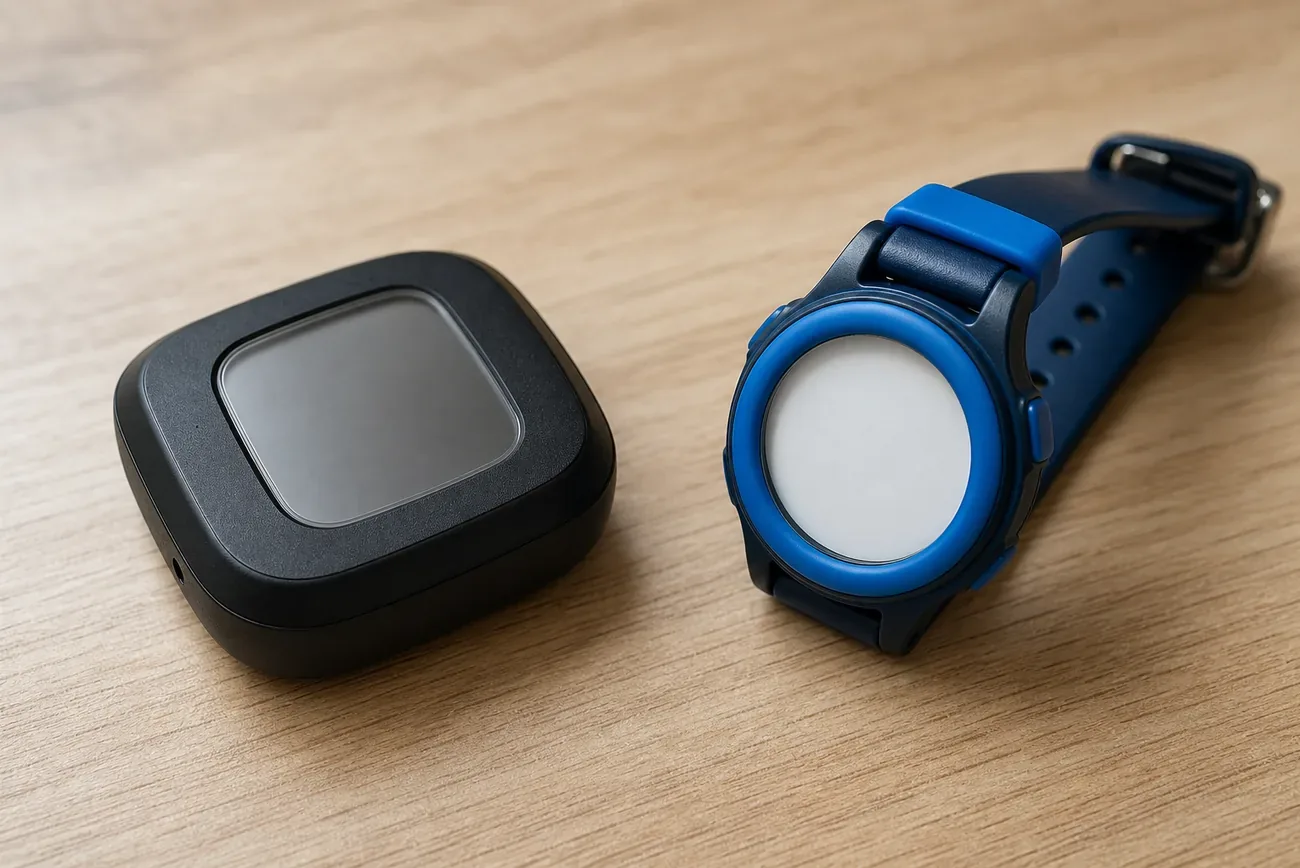
Cellular GPS trackers: real-time, but you’re renting the answer
A dedicated GPS tracker built for kids solves the first problem completely. It has its own SIM card, its own cellular connection, and a real GPS chip, so it reports an actual current location on a schedule the parent sets, often every 30 seconds to a few minutes. Most models add geofencing (an alert when the kid leaves school grounds) and a single SOS button that dials or texts a parent’s phone directly.
The tradeoff is that you’re paying for a subscription for as long as the tracker is useful. Budget for $5 to $15 a month on top of a $30 to $100 device, and expect that price to sometimes jump after an introductory first year. Battery runs 2 to 5 days on a charge for models that check in every few minutes, shorter if geofencing and frequent pings are both turned on.
Parents rarely regret the price. They regret discovering the coverage gap after the fact, once they realize a tracker is only as good as the cellular signal wherever the child goes. A device that works perfectly at home and at school can go dark the moment a kid steps into a state park, a rural grandparent’s yard, or a basement gym with no signal. Check the tracker’s carrier partner’s actual coverage map for the specific places your kid spends time, not just whether your own phone gets bars there. Different trackers ride on different carrier networks (some use one national carrier, some let you swap a SIM), and coverage quality varies more between them than the marketing suggests.
GPS smartwatches: the tracker that can also call you
A GPS smartwatch is functionally a cellular tracker with a screen, a speaker, and a phone number bolted on. The kid can call or text a short list of approved contacts, hit an SOS button that also shares live location, and in some models take a photo or play a game. For a child around 7 to 11, old enough to want to talk to a parent directly but not ready for an open internet connection, this is usually the category that gets used correctly instead of abandoned in a drawer.
The costs run slightly higher than a bare tracker, typically $10 to $20 a month for the data and voice plan, since it’s carrying a real phone number the same way a basic cell plan does. Battery life is the real downside. An always-on or wake-on-wrist display, a cellular radio, and a speaker together mean a charge every 1 to 2 days, sometimes daily if the kid calls a lot. Parents who buy a smartwatch expecting AirTag-style set-it-and-forget-it battery life are the ones who end up disappointed. Parents who treat it like a kid’s first phone, on a nightly charging routine, tend to be fine with it.
A smartwatch makes less sense for a child who loses or removes wearables constantly, or for a family that specifically doesn’t want to introduce a device with calling and a screen yet. In that case a plain cellular tracker clipped to a backpack does the same location job for less money and fewer buttons to lose.
The option nobody sells you: an old phone on Wi-Fi
Before buying anything, check whether the problem is already solved. An old iPhone with no SIM card, signed into a child’s own Apple ID with Find My turned on, reports location the moment it connects to any known Wi-Fi network. The same works on Android through Google’s Family Link, using an old handset signed into a supervised account. Neither setup costs a monthly cent beyond electricity, and both live inside the same Find My or Google Find My Device apps most parents already use to track each other.
The catch is coverage. A Wi-Fi-only device is silent the second it leaves a known network, so it works for a kid whose day moves between home, school, and a couple of relatives’ houses, all places with predictable Wi-Fi, but tells you nothing about a bike ride through the neighborhood in between. For families whose child mostly moves between fixed indoor locations, this quietly solves the whole problem. For a kid who’s outside and mobile for hours, it isn’t enough on its own, and one of the cellular categories above takes over.
What decides the right pick
Price is the number parents fixate on first, and it’s the least useful one. Two devices at the same $12-a-month price point can behave completely differently depending on which carrier network they ride and how often they ping. The three questions that predict whether a tracker gets used for a year or ends up abandoned in a junk drawer by month two:
- Where does the kid go? A backyard-and-sidewalk radius is a different problem than a rural bus route with dead zones.
- Does the kid need to talk to you, or just be locatable? That single answer splits a smartwatch from a bare tracker.
- Who is checking the coverage map before purchase, not after? The parents who skip this step are the ones posting about a tracker that “just stopped updating” the first weekend at a cabin.
None of the four categories above is a scam or a wrong answer in the abstract. Each is the right answer for a specific kid, in a specific radius, at a specific age. The mistake is buying based on the marketing photo of a smiling kid wearing whichever device is cheapest that week, instead of matching the category to how that particular kid moves through a day.
If you’re weighing this against tracking an older child who already carries a phone, the setup is different and usually easier. See how to track a kid’s phone with consent for that version of the decision, or GPS tracking for an aging parent if the same buyer’s-guide logic applies at the other end of a family, not the beginning.
Questions & answers
Things readers ask about this
7 questions · updated Jul 2026